MCP Trading Tools for Claude.ai and ChatGPT
MCP Trading Tools for Claude.ai and ChatGPT
The Model Context Protocol (MCP) is an open standard—sometimes called an MCP server protocol—that allows AI assistants to access external tools and data. Instead of building custom integrations for each AI platform, MCP servers provide a universal interface.
ForexGPT operates as an MCP server, making forex tools for Claude and forex tools for ChatGPT available natively inside Claude.ai and ChatGPT.com. These trading tools in AI assistants eliminate context switching. You can scan markets, analyze assets, and execute trades—without opening a separate application.
Let's explore how MCP works and how to use ForexGPT's trading tools directly in your AI assistant.
What is the Model Context Protocol (MCP)?
MCP is an open standard that enables AI assistants to access external tools and data.
The Problem MCP Solves
Before MCP, integrating external tools with AI required:
- Custom API integrations for each AI platform
- Separate login for each tool
- Context switching between applications
- Complex authentication flows
How MCP Works
MCP servers provide:
- Standard interface: All tools follow the same format
- Automatic discovery: AI assistants see available tools
- Unified authentication: One login for all MCP servers
- Context sharing: Data flows naturally between tools
MCP vs Traditional API Integration
Traditional API:
- Each tool needs custom integration
- Separate authentication for each
- Manual tool selection in AI
MCP:
- Standardized interface
- Automatic tool discovery
- One-click activation in AI
- Context preservation across tools
Using ForexGPT in Claude.ai and ChatGPT
Integrating ForexGPT into your AI workflow is straightforward.
Enabling ForexGPT in Claude.ai
- Open Claude.ai in your browser
- Go to Settings (gear icon)
- Select MCP Servers
- Add new server
- Enter server details:
- Name: ForexGPT
- URL: your server endpoint
- Save and enable
Once enabled, ForexGPT tools appear in the tool picker:
- Type / in the chat
- Select ForexGPT
- Choose your tool: scan_market, analyze_asset, etc.
Enabling ForexGPT in ChatGPT.com
- Open ChatGPT.com
- Click the gear icon (Settings)
- Select MCP
- Click "Enable New MCP Server"
- Enter server details
- Save
Now when you chat with ChatGPT, ForexGPT tools are available.
The MCP Interface in AI Chat
When you use a ForexGPT tool:
- AI sends request: "Analyze EUR/USD"
- Tool executes: ForexGPT analyzes the pair
- Results returned: Analysis appears in chat
- AI interprets: ChatGPT/ Claude explains the results
The tool runs inside ForexGPT's secure environment; results are returned to your AI chat.
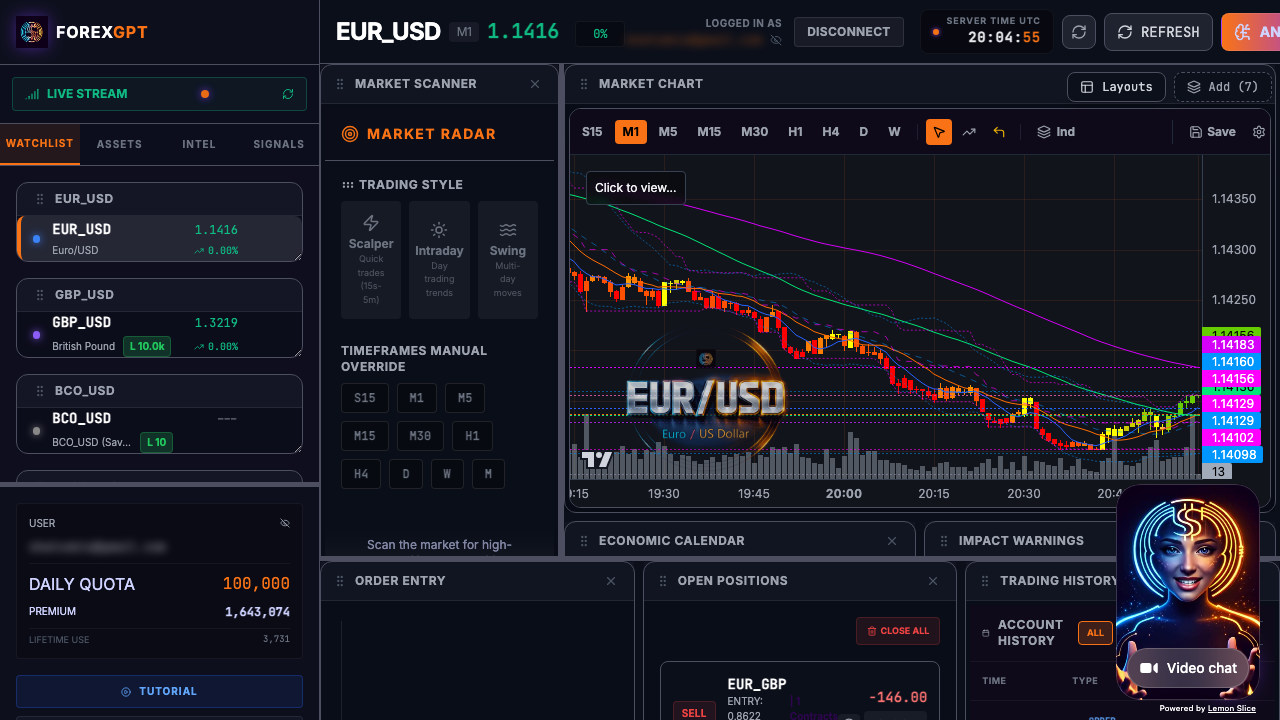
ForexGPT MCP Tools Available
MCP integration provides access to all ForexGPT tools. For a complete overview, see the AI forex trading assistant and AI trading terminal pages.
Market Data Tools
- scan_market: Scan 127+ assets for setups
- get_chart_data: Retrieve candlestick data
- get_live_spreads: Current market spreads
- get_economic_calendar: Upcoming economic events
- get_live_heatmap: Visual asset performance
- get_platform_health: System status
Analysis Tools
- analyze_asset: Deep analysis of a specific pair
- analyze_timeframes: Multi-timeframe analysis
- analyze_sentiment: AI sentiment scoring
- analyze_correlations: Cross-asset analysis
Trading Tools (Pro)
- place_order: Execute trades
- get_order_status: Track order status
- close_position: Close active positions
- calculate_position_size: Position sizing
- calculate_pip_value: Pip value calculation
Account Tools (Pro)
- get_account_balance: Current balance
- get_margin_usage: Margin utilization
- get_equity: Account equity
- get_profit_loss: P&L tracking
- get_account_status: Account health
Agent Tools (Pro)
- start_agent: Activate an autonomous agent
- stop_agent: Deactivate an agent
- configure_agent: Set agent parameters
- get_agent_status: Agent performance metrics
- get_agent_proposals: Pending trade proposals
How MCP Integrates with Your Workflow
MCP integration streamlines your analysis workflow.
The Workflow
- Start your AI session: Open Claude.ai or ChatGPT.com
- Ask your question: "Scan for bullish forex setups"
- AI calls ForexGPT: Automatically uses scan_market
- Results in chat: Analysis appears in your conversation
- Continue analysis: Ask follow-up questions or use voice commands
Example Conversation
You: Scan the market for bullish setups in major forex pairs

[ForexGPT scan_market executes]

AI: I found 8 bullish setups:
- EUR/USD: Sentiment Score +78/100
- GBP/USD: Sentiment Score +72/100
- USD/JPY: Sentiment Score +81/100
...

You: Analyze EUR/USD in detail

[ForexGPT analyze_asset executes]

AI: EUR/USD analysis shows...
- Direction: Bullish
- RSI: 62 (moderately bullish)
- MACD: Positive crossover
- Sentiment: 75/100 (bullish)
...
Context Preservation
MCP maintains context across tool calls:
- Previous analysis: Tools reference earlier commands
- User preferences: Your settings are preserved
- Session state: Data flows naturally between calls
Security with MCP
Security is essential for trading tools integrated with AI.
Authentication
- OAuth 2.0: Industry-standard authentication
- Session tokens: Short-lived tokens for API calls
- Permission controls: You control which tools are available
Data Privacy
- Encrypted transmission: All data in transit is encrypted
- No storage: Brokerage credentials are never stored
- Limited access: Tools only access what you authorize
Trade Approvals
When executing trades through MCP:
- AI proposes: "Buy 0.1 lot EUR/USD at market"
- You confirm: Review details and approve
- Trade executes: Order sent to broker
- Confirmation returned: Trade confirmation appears in chat
Benefits of MCP for Traders
MCP integration provides unique advantages.
The AI-as-Partner Approach
Instead of using AI to trade for you, MCP lets you use AI as your trading partner:
- Rapid analysis: Get answers in seconds
- Continuous learning: AI helps you understand markets
- Workflow integration: Analysis where you already work
Context-Rich Analysis
MCP provides context that isolated tools can't:
- Market context: Analysis considers overall market conditions
- Historical context: AI compares to historical patterns
- Your strategy: Analysis aligns with your trading approach
Learning Through Conversation
Use ChatGPT/ Claude to:
- Explain analysis: "What does this RSI reading mean?"
- Review past trades: "Why did my trade on XAU/USD fail?"
- Plan strategies: "How should I trade during high volatility?"
FAQ
What is MCP in trading?
MCP (Model Context Protocol) is an open standard that allows AI assistants to access external tools. ForexGPT's MCP server makes 45+ trading tools available in Claude.ai and ChatGPT.
How do I enable ForexGPT in Claude.ai?
Go to Claude.ai Settings > MCP Servers > Add new server > Enter ForexGPT details. Once enabled, select ForexGPT from the tool picker.
What tools are available through MCP?
MCP provides access to all ForexGPT tools: market scanning, asset analysis, sentiment scoring, chart data, position execution (Pro), and more.
Do I need a Pro account for MCP?
No. The free tier includes 8 essential tools. Pro provides access to 45+ tools including trade execution and portfolio management.
Can I trade through MCP?
Yes. Pro tier users can execute trades through MCP. All trades require your explicit approval—MCP tools propose, you execute.
Is MCP secure?
Yes. MCP uses OAuth 2.0 authentication, encrypted transmission, and short-lived tokens. Your brokerage credentials are never stored or transmitted.
How does MCP differ from API integration?
MCP is standardized—no custom integration needed. Tools are automatically discovered in your AI assistant, and context is preserved across tool calls.
About the Author
This article was written by the ForexGPT team, led by Steven Hatzakis—a financial services industry expert with over 20 years of experience in forex and fintech. For a deeper look at the platform architecture and methodology, read the ForexGPT White Paper. For his latest research on AI-driven trading systems, see Steven's paper on Protocol-Constrained Agentic Systems. Explore all guides and tools on the Learn resource hub.
This content was created with AI assistance, reviewed for accuracy by the ForexGPT team, and is updated regularly to reflect current platform capabilities.
Important Disclaimer
ForexGPT is a market analysis tool, not a financial advisor. All content on this page is for informational and educational purposes only. It does not constitute investment advice, financial advice, or trading advice.
Trading forex and other financial instruments involves substantial risk of loss and is not suitable for all investors. Past performance of any analysis tool or signal does not guarantee future results. You should carefully consider your investment objectives, level of experience, and risk appetite before trading.
ForexGPT does not guarantee the accuracy, completeness, or timeliness of any analysis or signal generated by its tools. Always conduct your own research and consult with a qualified financial advisor before making trading decisions.
Start Using MCP Tools - Try ForexGPT Free Today